Claude Code के साथ React Native: Expo, Native और Release Guide
Claude Code से React Native: Expo vs bare, permissions, Metro, emulator, accessibility और release checks.
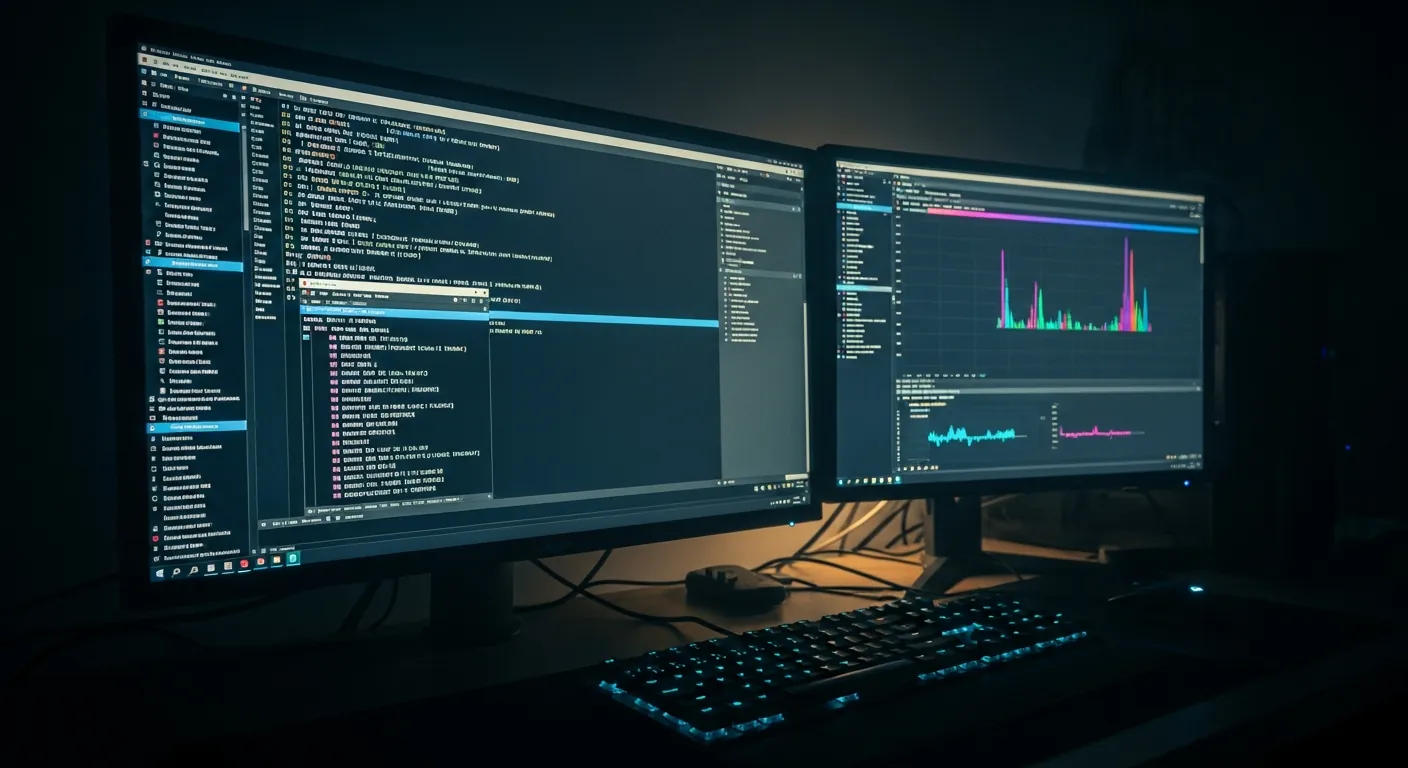
Claude Code को code देने से पहले mobile boundary तय करें
React Native में Claude Code का फायदा सिर्फ एक screen जल्दी बनाना नहीं है। सही तरीके से इस्तेमाल करने पर यह repository पढ़ सकता है, TypeScript बदल सकता है, verification commands चला सकता है, native rebuild की जरूरत बता सकता है और अंत में साफ handoff दे सकता है। Mobile development में web component से ज्यादा boundaries होती हैं: iOS permissions, Android package, Metro resolution, development builds, emulator behavior, accessibility और release checks.
कमजोर prompt है: “React Native app बना दो.” मजबूत prompt पहले बताता है कि project Expo है, Expo development build चाहिए, या bare React Native है जिसमें ios/ और android/ folders team maintain करती है। साथ में यह भी लिखता है कि कौन से files edit हो सकते हैं, कौन से commands approval मांगेंगे, और कौन सा platform test करना है।
Official reference के लिए Claude Code overview, Claude Code permissions, Expo documentation, Expo development builds, React Native environment setup, React Native Native Modules, Metro troubleshooting और React Native accessibility को आधार बनाएं। अगर Claude Code नया है, पहले Claude Code getting started guide और फिर permissions guide देखें।
project map से शुरुआत करें
project map agent के लिए छोटा operating brief है। Harness यानी agent का काम करने का ढांचा: Claude Code कहां काम कर सकता है, success कैसे check होगी, और कौन से actions automatic नहीं चलने चाहिए। इसके बिना code बन सकता है, लेकिन native rebuild, iOS/Android difference या release constraint छूट सकता है।
flowchart LR
  A["Project map"] --> B["Claude Code task"]
  B --> C["JS/TS implementation"]
  B --> D["Native config"]
  C --> E["Metro and unit tests"]
  D --> F["Dev build / emulator"]
  E --> G["Accessibility check"]
  F --> G
  G --> H["Release checklist"]
Implementation से पहले ऐसा छोटा file रखें:
# React Native task map

App type: Expo app using TypeScript and Expo Router.
Native runtime: Expo Go for pure JS changes, development build for native libraries.
Targets: Android emulator first, iOS simulator on macOS before release.
Allowed files: app/, components/, hooks/, app.config.ts, metro.config.js, __tests__/.
Do not change: package manager, app slug, bundle identifiers, signing files, .env files.
Verification: npm run lint, npm test, npx expo-doctor, Android emulator smoke test.
Handoff: list changed files, commands run, platform not tested, and any native rebuild needed.
नए Expo templates में AI coding agents के लिए context files आ सकती हैं, फिर भी existing apps में पुराने README, पुरानी SDK assumptions और undocumented native settings मिलते हैं। इसलिए Claude Code को generic tutorial नहीं, actual repository पढ़ने दें।
Expo या bare React Native सोचकर चुनें
React Native docs framework-based path और Android Studio/Xcode direct setup को अलग समझाते हैं। Practical काम में नई app के लिए Expo तेज होता है। Existing native SDK, complex Gradle, custom Pods या vendor requirement हो तो bare React Native बेहतर हो सकता है।
| Decision | Expo बेहतर है | bare React Native बेहतर है |
|---|---|---|
| Start speed | MVP, internal tools, learning, Expo SDK से covered features | Existing iOS/Android code रखना जरूरी |
| Native features | Camera, SecureStore, notifications, config plugins | Custom SDK, payment terminal, special Bluetooth, deep build settings |
| Claude Code scope | app/, components/, app.config.ts, tests | ios/, android/, Codegen, Pods, Gradle, generated files |
| Verification | Expo Go या development build, npx expo-doctor | npm run android, pod install, Xcode/Android Studio builds |
Expo Go को release proof न मानें। Expo docs में Expo Go fixed native libraries वाला quick environment है। Native code वाली library जोड़ते ही development build चाहिए, और Claude Code को यह report करना चाहिए कि नया binary बनेगा।
Clean Expo test project के लिए:
npx create-expo-app@latest rn-claude-lab
cd rn-claude-lab
npx expo install expo-camera expo-secure-store @react-native-community/netinfo
npm install --save-dev @testing-library/react-native jest-expo @types/jest
npx expo start
Android Emulator के लिए a दबाएं। macOS पर iOS Simulator के लिए i दबाएं। Network block हो तो npx expo start --tunnel मदद कर सकता है, पर यह LAN या emulator flow से धीमा होता है।
Mobile work के लिए Claude Code permissions सीमित करें
React Native में एक command बड़ा side effect बना सकता है। expo prebuild, pod install, gradlew clean, eas build सही task में valid हैं, लेकिन छोटे UI change में चुपचाप नहीं चलने चाहिए।
Claude Code permissions में allow, ask और deny rules अलग रखे जा सकते हैं। Shared .claude/settings.json safe checks allow कर सकता है, native regeneration और release build पर confirmation मांग सकता है, और secrets या publishing commands block कर सकता है।
{
  "$schema": "https://json.schemastore.org/claude-code-settings.json",
  "permissions": {
    "allow": [
      "Bash(npm test)",
      "Bash(npm run lint)",
      "Bash(npx expo-doctor)",
      "Bash(adb devices)"
    ],
    "ask": [
      "Edit",
      "Bash(npx expo prebuild*)",
      "Bash(eas build*)",
      "Bash(cd ios && bundle exec pod install)"
    ],
    "deny": [
      "Read(.env)",
      "Read(.env.local)",
      "Bash(git push*)",
      "Bash(rm -rf*)"
    ]
  }
}
यह tool पर अविश्वास नहीं है। यह mobile side effects को reviewable boundary में रखने का तरीका है। Native rebuild चाहिए तो Claude Code पहले कारण बताए।
Camera permission screen बनाएं
पहला practical use case QR scanner है, जो check-in, inventory और internal tools में बहुत आता है। Expo Camera में CameraView और useCameraPermissions मिलते हैं। Claude Code को तीन states साफ बताएं: permission loading, permission not granted, camera ready. Accessibility label और duplicate scan protection भी requirement में रखें।
// components/CameraQrCheck.tsx
import { CameraView, useCameraPermissions } from 'expo-camera';
import { useState } from 'react';
import { Pressable, StyleSheet, Text, View } from 'react-native';

type ScanResult = {
  data: string;
  type: string;
} | null;

export function CameraQrCheck() {
  const [permission, requestPermission] = useCameraPermissions();
  const [scan, setScan] = useState<ScanResult>(null);

  if (!permission) {
    return (
      <View style={styles.center}>
        <Text>Checking camera permission...</Text>
      </View>
    );
  }

  if (!permission.granted) {
    return (
      <View style={styles.center}>
        <Text style={styles.title}>Camera access is required</Text>
        <Text style={styles.body}>
          Allow camera access to scan QR codes on this device.
        </Text>
        <Pressable
          accessibilityRole="button"
          accessibilityLabel="Allow camera access"
          disabled={!permission.canAskAgain}
          onPress={requestPermission}
          style={({ pressed }) => [
            styles.button,
            pressed && styles.buttonPressed,
            !permission.canAskAgain && styles.buttonDisabled,
          ]}
        >
          <Text style={styles.buttonText}>Allow camera</Text>
        </Pressable>
      </View>
    );
  }

  return (
    <View style={styles.container}>
      <CameraView
        style={styles.camera}
        barcodeScannerSettings={{ barcodeTypes: ['qr'] }}
        onBarcodeScanned={
          scan
            ? undefined
            : ({ data, type }) => {
                setScan({ data, type });
              }
        }
      />
      <View style={styles.result}>
        <Text accessibilityLiveRegion="polite" style={styles.title}>
          {scan ? `Scanned ${scan.type}` : 'Point the camera at a QR code'}
        </Text>
        {scan ? <Text selectable>{scan.data}</Text> : null}
        {scan ? (
          <Pressable
            accessibilityRole="button"
            accessibilityLabel="Scan another QR code"
            onPress={() => setScan(null)}
            style={styles.button}
          >
            <Text style={styles.buttonText}>Scan again</Text>
          </Pressable>
        ) : null}
      </View>
    </View>
  );
}

const styles = StyleSheet.create({
  container: { flex: 1, backgroundColor: '#111827' },
  center: { flex: 1, justifyContent: 'center', gap: 12, padding: 24 },
  camera: { flex: 1 },
  result: { gap: 12, padding: 16, backgroundColor: '#f9fafb' },
  title: { fontSize: 18, fontWeight: '700', color: '#111827' },
  body: { fontSize: 15, lineHeight: 22, color: '#374151' },
  button: {
    alignItems: 'center',
    borderRadius: 8,
    backgroundColor: '#2563eb',
    paddingHorizontal: 16,
    paddingVertical: 12,
  },
  buttonPressed: { opacity: 0.75 },
  buttonDisabled: { backgroundColor: '#9ca3af' },
  buttonText: { color: '#ffffff', fontWeight: '700' },
});
expo-camera install करने के बाद यह component Expo project में copy किया जा सकता है। Permission text और native config को app config में रखें, क्योंकि कुछ changes JavaScript reload से नहीं, native rebuild से लागू होते हैं।
// app.config.ts
import type { ConfigContext, ExpoConfig } from 'expo/config';

export default ({ config }: ConfigContext): ExpoConfig => ({
  ...config,
  name: config.name ?? 'rn-claude-lab',
  slug: config.slug ?? 'rn-claude-lab',
  ios: {
    ...config.ios,
    bundleIdentifier: 'com.example.rnclaudelab',
    infoPlist: {
      ...config.ios?.infoPlist,
      NSCameraUsageDescription: 'Scan QR codes for check-in.',
    },
  },
  android: {
    ...config.android,
    package: 'com.example.rnclaudelab',
    permissions: ['CAMERA'],
  },
  plugins: ['expo-camera'],
});
Expo config plugins prebuild और native build flows में settings apply करते हैं। Claude Code को साफ लिखें: “अगर app.config.ts edit करो, तो बताओ development build चाहिए या नहीं.”
Metro errors को evidence की तरह देखें
दूसरा use case Metro का Unable to resolve module है, खासकर monorepo में। Metro troubleshooting docs cache reset बताते हैं, पर cache reset root cause analysis नहीं है।
Claude Code को full error, command, package manager, workspace layout और last moved file दें। Workspace में Expo app के लिए यह config जरूरी हो सकता है:
// metro.config.js
const path = require('path');
const { getDefaultConfig } = require('expo/metro-config');

const projectRoot = __dirname;
const workspaceRoot = path.resolve(projectRoot, '..');

const config = getDefaultConfig(projectRoot);

config.watchFolders = [workspaceRoot];
config.resolver.nodeModulesPaths = [
  path.resolve(projectRoot, 'node_modules'),
  path.resolve(workspaceRoot, 'node_modules'),
];

module.exports = config;
इसे blind add न करें। Normal single-package Expo app को आमतौर पर इसकी जरूरत नहीं होती। Claude Code से पूछें कि watchFolders क्यों चाहिए; अगर problem casing, missing dependency, Babel config या गलत import है, तो Metro config न बदलें।
Native modules में पहले plan मांगें
तीसरा use case vendor SDK या platform API bridge करना है। React Native का current Native Modules guide Turbo Native Modules और Codegen पर केंद्रित है। इसलिए अच्छा task TypeScript interface से शुरू होता है, फिर Android और iOS implementation पर जाता है।
अगर Expo SDK के Camera, SecureStore या NetInfo से काम चल जाता है, custom native module न बनाएं। Payment terminal, special Bluetooth या internal auth SDK जैसे cases में पहले plan मांगें।
Implement a native bridge plan, not the full code yet.

Goal: expose a device serial reader to TypeScript.
First output:
1. TypeScript interface and error model.
2. Android/iOS files that would need edits.
3. Build commands for each platform.
4. Risks: permissions, threading, simulator limitations, release signing.
Do not edit ios/ or android/ until the plan is reviewed.
यह शुरुआत में धीमा लगता है, लेकिन review cost कम करता है। Kotlin, Swift, Pods और Gradle changes की boundary पहले साफ होनी चाहिए।
Tests और accessibility को एक ही task में रखें
React Native accessibility APIs VoiceOver और TalkBack जैसी assistive technologies को information देती हैं। Accessible View के लिए label और role implementation का हिस्सा हैं।
पहले no-permission state का unit test लिखें:
// __tests__/CameraQrCheck.test.tsx
import React from 'react';
import { fireEvent, render, screen } from '@testing-library/react-native';
import { CameraQrCheck } from '../components/CameraQrCheck';

const mockRequestPermission = jest.fn();

jest.mock('expo-camera', () => ({
  CameraView: 'CameraView',
  useCameraPermissions: () => [
    { granted: false, canAskAgain: true },
    mockRequestPermission,
  ],
}));

describe('CameraQrCheck', () => {
  beforeEach(() => {
    mockRequestPermission.mockClear();
  });

  it('requests camera permission from the empty state', () => {
    render(<CameraQrCheck />);

    fireEvent.press(screen.getByText('Allow camera'));

    expect(mockRequestPermission).toHaveBeenCalledTimes(1);
  });
});
फिर real device या emulator पर permission dialog, denial path, rotation, low-light scan और screen reader labels check करें। Handoff में platform साफ होना चाहिए। “Android emulator passed, iOS not tested” useful है; “looks good” useful नहीं है।
Release checks को commands में बदलें
React Native Dev Menu और LogBox development tools हैं; release builds अलग behave करते हैं। Claude Code को सिर्फ “done” नहीं, command evidence लौटाना चाहिए।
npm run lint
npm test -- --runInBand
npx expo-doctor
npx expo start -c
adb devices
adb shell input keyevent 82
npx expo run:android
# macOS only:
npx expo run:ios
EAS Build use करते समय development, preview, production profiles अलग रखें। Task explicitly न कहे तो bundle identifier, Android package, signing files या production profile न बदलें।
Practical use cases और failure modes
पहला use case नया Expo MVP है। Login, QR scan, secure local storage, simple API और internal workflow को screens, hooks, tests और config में बांटा जा सकता है। अगर app revenue से जुड़ी है, analytics और CTA behavior को done criteria में डालें।
दूसरा use case existing bare React Native app fix करना है। Metro errors, Android-only crash, iOS permission text और native SDK upgrade Claude Code के लिए अच्छे tasks हैं, अगर आप error classification, minimal diff और native rebuild note मांगें।
तीसरा use case native SDK integration से पहले research है। Payments, health data, Bluetooth और enterprise auth में supported OS, permissions, store-review risk, simulator limits और test devices की table पहले बनाएं। इसके साथ review workflow checklist और TDD guide उपयोगी हैं।
Common failures बार-बार आते हैं: Expo Go success release proof नहीं है; cache reset root cause नहीं है; iOS/Android verification अंत तक नहीं छोड़ना चाहिए; accessibility label बाद में चिपकाने की चीज नहीं है; native build commands बिना वजह नहीं चलने चाहिए। यह AI की नहीं, workflow की समस्या है।
CTA: mobile workflow को template बनाएं
React Native में सबसे ज्यादा फायदा reusable project map, permission file, verification command list और review checklist से मिलता है। Solo developers free cheatsheet से शुरू कर सकते हैं। Reusable prompts और setup material चाहिए तो ClaudeCodeLab products देखें। Real repository में Expo/bare React Native rules, CI, release gates और team training लागू करनी हो तो Claude Code training and consultation का उपयोग करें।
आगे पढ़ने के लिए Claude Code React development guide और Flutter/Dart guide भी देखें।
इस workflow को आजमाने के बाद Masa ने पाया कि तीन habits सबसे ज्यादा rework घटाती हैं: implementation से पहले Expo vs bare तय करना, app.config.ts बदलने पर development-build note मांगना, और Android Emulator में permissions और Metro पहले verify करना। Camera और SecureStore जैसे native features में generated code speed से ज्यादा verification boundary मायने रखती है।
संबंधित लेख

किसान-डायरेक्ट बिक्री के लिए प्रोडक्ट डिस्क्रिप्शन और सोशल मीडिया-प्री-ऑर्डर के मैसेज AI से जल्दी लिखें
किसान-डायरेक्ट बिक्री के प्रोडक्ट विवरण, सोशल मीडिया और प्री-ऑर्डर मैसेज Claude Code से जल्दी लिखें। प्रॉम्प्ट, चेकलिस्ट और स्क्रिप्ट साथ।
बिज़नेस होटल के फ्रंट डेस्क का काम Claude Code से तेज़: बुकिंग पुष्टि, FAQ और रिव्यू जवाब
बिज़नेस होटल के फ्रंट के लिए — Claude Code से बुकिंग पुष्टि, FAQ और रिव्यू जवाब का ड्राफ़्ट जल्दी बनाने के प्रॉम्प्ट और स्क्रिप्ट।

ट्रांसपोर्ट और लॉजिस्टिक्स कंपनी की डिस्पैच नोट और पूछताछ का काम Claude Code से आसान कैसे करें
ट्रांसपोर्ट-लॉजिस्टिक्स के डिस्पैच स्टाफ़ के लिए: पर्ची साफ़ करना और पूछताछ का जवाब AI से जल्दी निपटाएँ, तैयार प्रॉम्प्ट के साथ।
मुफ़्त PDF: Claude Code cheatsheet
Email डालें और commands, review habits तथा safe workflow वाली एक-page PDF पाएँ.
हम आपका data सुरक्षित रखते हैं और spam नहीं भेजते.

लेखक के बारे में
Masa
Claude Code workflow और team adoption पर काम करने वाला engineer.