Claude Code Landing Page: offer, trust, tracking और tests के साथ
Claude Code से landing page बनाएं: Astro/React code, form, events, A/B test और mobile QA सहित।
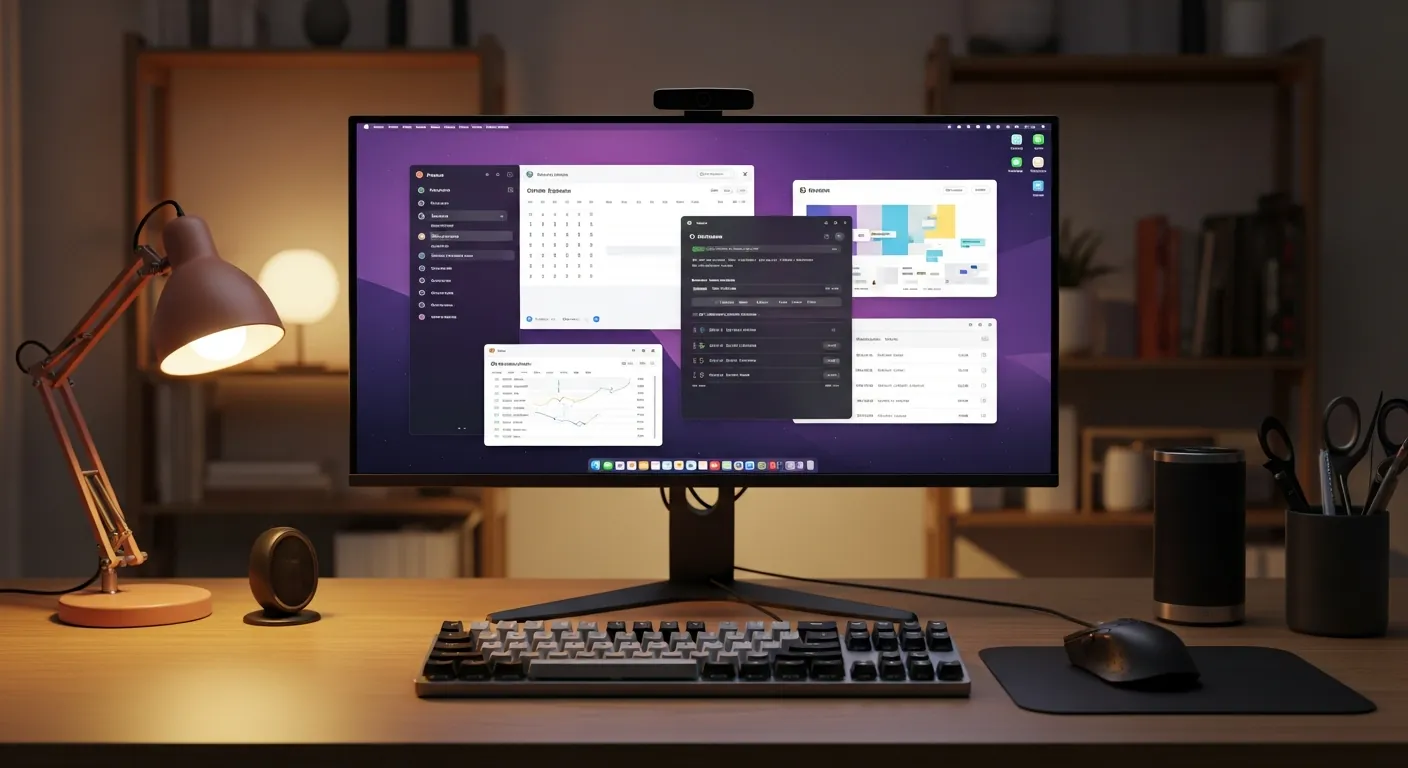
Landing page सुंदर screen नहीं, decision path है
Claude Code से “landing page बना दो” कहना आसान है। वह hero, feature cards, pricing, FAQ और CTA जल्दी बना देगा। लेकिन business के लिए useful landing page सिर्फ अच्छा दिखने वाला layout नहीं है। उसे एक specific reader को एक clear offer समझाना, भरोसा बनाना, next step आसान करना और improvement के लिए data capture करना होता है।
Conversion का मतलब सिर्फ payment नहीं है। Consultation booking, checklist download, template purchase, team training inquiry या trial start भी conversion हो सकते हैं। CTA यानी Call To Action: वह button या link जो reader को अगला action बताता है, जैसे “free review book करें” या “checklist पाएं”। Trust block वह section है जो proof देता है: process, review checklist, implementation screenshots, Masa का practical अनुभव और honest limits।
ClaudeCodeLab के लिए goal यह नहीं है कि “conversion rate guaranteed बढ़ेगा” कहा जाए। Goal है Claude Code consulting, products और training को ऐसी page से जोड़ना जो clear, measurable, accessible और fast हो। Official docs को base मानें: Claude Code docs, Astro Pages, Tailwind CSS, React forms, GA4 events और Playwright।
पहले तीन practical use cases तय करें
Design से पहले reader की स्थिति लिखें। इससे Claude Code generic SaaS copy कम बनाता है।
| Use case | Reader की स्थिति | सही offer | Measure करने वाला event |
|---|---|---|---|
| Indie founder के लिए template sale | Claude Code से LP बनानी है, पर copy structure कमजोर है | Astro LP template और conversion copy prompts | Product CTA click, checkout start |
| SaaS या agency consultation | Traffic है, लेकिन lead quality unclear है | 90-minute landing page diagnosis और implementation review | Form submit, booking |
| Team training | Team को Claude Code का common workflow चाहिए | LP build workshop, review, analytics और tests | Training inquiry, deck download |
Reader आम तौर पर तीन सवाल पूछता है: क्या यह मेरे लिए है, क्या यह भरोसेमंद है, click करने पर क्या होगा। Landing page का क्रम इन्हीं सवालों का जवाब देना चाहिए।
flowchart TD
  A["Search, article, ad या social से traffic"] --> B["First viewport में audience, offer और CTA"]
  B --> C["Trust block में process और proof"]
  C --> D["Use cases reader की स्थिति से connect करते हैं"]
  D --> E["Pricing या lead magnet friction कम करता है"]
  E --> F["Form submit, product click या training inquiry"]
  F --> G["Events और A/B test अगली improvement चलाते हैं"]
Claude Code को production prompt दें
Vague prompt से vague page बनेगी। Prompt में goal, constraints और checks लिखें।
Astro + React + Tailwind CSS से "Claude Code Landing Page Sprint" landing page implement करें।

Goal:
- Readers को consultation booking, template purchase या team training inquiry तक ले जाना।
- Audience: indie founders, SaaS operators, agencies, engineering managers.
- Conversion-rate improvement की guarantee न लिखें।

Required sections:
- First viewport: audience, offer, primary CTA, secondary CTA.
- Trust block: Masa का implementation experience, review process, pre-launch checklist.
- Three concrete use cases.
- Pricing या lead magnet.
- Form: name, email, company, goal, budget, consent.
- Events: lp_view, cta_click, lead_submit, product_click.
- A/B test: दो CTA copy variants compare करें.
- Playwright mobile checks: CTA visible, labels सही, horizontal overflow नहीं.

Engineering constraints:
- Copy-pasteable TypeScript, pseudocode नहीं.
- Labels, focus, keyboard और contrast का ध्यान.
- Heavy background video नहीं, ताकि LCP खराब न हो.
- Analytics events में personal data न भेजें.
Astro में first viewport
First viewport में reader को तुरंत पता चलना चाहिए कि page किसके लिए है, क्या offer है और अगला step क्या है। नीचे component में दो copy variants हैं।
---
// src/components/LandingHero.astro
export interface Props {
  variant: "control" | "lead_magnet";
}

const { variant } = Astro.props;

const copy = {
  control: {
    eyebrow: "Claude Code Landing Page Sprint",
    headline: "Claude Code landing page बनाएं जिसमें offer, form और tracking हो",
    body: "First viewport, trust blocks, pricing, lead form, analytics events और mobile QA को launch-ready implementation में बदलें।",
    primary: "Free review book करें",
    secondary: "Templates देखें",
  },
  lead_magnet: {
    eyebrow: "Free checklist included",
    headline: "UI लिखने से पहले landing page gaps पकड़ें",
    body: "Offer clarity, CTA, pricing, form, speed, accessibility और event naming को publish करने से पहले check करें।",
    primary: "Checklist पाएं",
    secondary: "Training देखें",
  },
}[variant];
---

<section class="bg-slate-950 px-4 py-16 text-white sm:py-20">
  <div class="mx-auto grid max-w-6xl gap-10 lg:grid-cols-[1.05fr_0.95fr] lg:items-center">
    <div>
      <p class="text-sm font-semibold uppercase tracking-wide text-cyan-300">{copy.eyebrow}</p>
      <h1 class="mt-4 max-w-3xl text-4xl font-bold leading-tight sm:text-5xl">{copy.headline}</h1>
      <p class="mt-5 max-w-2xl text-lg leading-8 text-slate-200">{copy.body}</p>
      <div class="mt-8 flex flex-col gap-3 sm:flex-row">
        <a data-cta-id="hero-primary" href="#lead-form" class="inline-flex min-h-12 items-center justify-center rounded-md bg-cyan-300 px-6 font-semibold text-slate-950 hover:bg-cyan-200 focus:outline-none focus:ring-2 focus:ring-cyan-200 focus:ring-offset-2 focus:ring-offset-slate-950">{copy.primary}</a>
        <a data-cta-id="hero-secondary" href="/products" class="inline-flex min-h-12 items-center justify-center rounded-md border border-slate-500 px-6 font-semibold text-white hover:bg-slate-800 focus:outline-none focus:ring-2 focus:ring-cyan-200 focus:ring-offset-2 focus:ring-offset-slate-950">{copy.secondary}</a>
      </div>
      <p class="mt-4 text-sm text-slate-400">Guaranteed lift नहीं। Promise है clear implementation और measurable improvement path.</p>
    </div>
    <div class="rounded-lg border border-slate-700 bg-slate-900 p-6">
      <h2 class="text-lg font-semibold">Pre-launch checks</h2>
      <ul class="mt-4 space-y-3 text-sm leading-6 text-slate-200">
        <li>First viewport में audience, offer और next step दिख रहे हैं?</li>
        <li>Trust block process और real experience समझा रहा है?</li>
        <li>Form submit, product click और training inquiry अलग measure हो रहे हैं?</li>
        <li>Mobile पर CTA और form usable हैं?</li>
      </ul>
    </div>
  </div>
</section>
data-cta-id analytics contract है। Button text बदलने पर भी event stable रहता है।
Trust, proof, pricing और lead magnet
Page के बीच में features नहीं, objections कम करें।
| Block | क्या दिखाना है | क्या avoid करना है |
|---|---|---|
| Trust | Checklist, screenshots, owner bio, QA process | खाली badges और vague AI slogans |
| Proof | Masa ने क्या test किया, क्या fail हुआ, क्या बदला | Fake testimonials या unverifiable numbers |
| Pricing | Template, review और training का difference | हर price को form के पीछे छिपाना |
| Lead magnet | Checklist, audit worksheet, copy prompts | सिर्फ email capture के लिए thin PDF |
ClaudeCodeLab में self-serve readers के लिए products, teams के लिए training, और review चाहने वालों के लिए form natural path है।
Form schema और Astro API
Schema यानी form कौन सा data और किस shape में accept करेगा। यह endpoint extra dependency के बिना चलता है।
// src/pages/api/lead.ts
import type { APIRoute } from "astro";

type LeadInput = {
  name: string;
  email: string;
  company: string;
  goal: string;
  budget: "template" | "consulting" | "training" | "undecided";
  consent: boolean;
};

function validateLead(form: FormData): { ok: true; data: LeadInput } | { ok: false; errors: string[] } {
  const data: LeadInput = {
    name: String(form.get("name") ?? "").trim().slice(0, 80),
    email: String(form.get("email") ?? "").trim().slice(0, 120),
    company: String(form.get("company") ?? "").trim().slice(0, 120),
    goal: String(form.get("goal") ?? "").trim().slice(0, 1000),
    budget: String(form.get("budget") ?? "undecided") as LeadInput["budget"],
    consent: form.get("consent") === "on",
  };

  const errors: string[] = [];
  if (!data.name) errors.push("Name is required.");
  if (!/^[^\s@]+@[^\s@]+\.[^\s@]+$/.test(data.email)) errors.push("A valid email is required.");
  if (data.goal.length < 20) errors.push("Please describe the goal in at least 20 characters.");
  if (!["template", "consulting", "training", "undecided"].includes(data.budget)) errors.push("Budget is invalid.");
  if (!data.consent) errors.push("Consent is required.");

  return errors.length ? { ok: false, errors } : { ok: true, data };
}

export const POST: APIRoute = async ({ request }) => {
  const result = validateLead(await request.formData());

  if (!result.ok) {
    return new Response(JSON.stringify({ ok: false, errors: result.errors }), {
      status: 400,
      headers: { "content-type": "application/json" },
    });
  }

  console.info("new_lp_lead", {
    emailDomain: result.data.email.split("@")[1],
    budget: result.data.budget,
    goalLength: result.data.goal.length,
  });

  return new Response(JSON.stringify({ ok: true }), {
    status: 200,
    headers: { "content-type": "application/json" },
  });
};
Analytics events में name, email, company या free text goal न भेजें। वहां केवल category, CTA id और variant रखें।
// src/components/LeadForm.tsx
import { useState } from "react";
import { trackLpEvent } from "../lib/lp-events";

export function LeadForm() {
  const [message, setMessage] = useState("");
  const [sending, setSending] = useState(false);

  async function onSubmit(event: React.FormEvent<HTMLFormElement>) {
    event.preventDefault();
    setSending(true);

    const response = await fetch("/api/lead", {
      method: "POST",
      body: new FormData(event.currentTarget),
    });

    setSending(false);
    if (!response.ok) {
      const body = await response.json();
      setMessage(body.errors?.join(" ") ?? "Form check करें।");
      return;
    }

    trackLpEvent({ eventName: "lead_submit", ctaId: "lead-form", value: "consulting" });
    setMessage("Request भेज दी गई है। Next step के लिए email देखें।");
    event.currentTarget.reset();
  }

  return (
    <form id="lead-form" onSubmit={onSubmit} className="space-y-5 rounded-lg border border-slate-200 p-6">
      <label className="block text-sm font-medium">नाम<input name="name" required className="mt-1 w-full rounded-md border px-3 py-2" /></label>
      <label className="block text-sm font-medium">ईमेल<input name="email" type="email" required className="mt-1 w-full rounded-md border px-3 py-2" /></label>
      <label className="block text-sm font-medium">Landing page goal<textarea name="goal" required minLength={20} rows={5} className="mt-1 w-full rounded-md border px-3 py-2" /></label>
      <label className="block text-sm font-medium">Support type
        <select name="budget" className="mt-1 w-full rounded-md border px-3 py-2">
          <option value="template">Template</option>
          <option value="consulting">Consulting</option>
          <option value="training">Team training</option>
          <option value="undecided">Not sure</option>
        </select>
      </label>
      <label className="flex gap-2 text-sm"><input name="consent" type="checkbox" required />मैं इस request के बारे में contact किए जाने से सहमत हूं।</label>
      <button disabled={sending} className="min-h-11 w-full rounded-md bg-slate-950 px-5 font-semibold text-white disabled:opacity-60">{sending ? "Sending..." : "Request भेजें"}</button>
      <p role="status" aria-live="polite" className="text-sm">{message}</p>
    </form>
  );
}
Events, speed और A/B test
Launch से पहले event names freeze करें।
// src/lib/lp-events.ts
type LpEventName = "lp_view" | "cta_click" | "lead_submit" | "product_click";

type LpEvent = {
  eventName: LpEventName;
  ctaId?: string;
  variant?: "control" | "lead_magnet";
  value?: "template" | "consulting" | "training";
};

declare global {
  interface Window {
    dataLayer?: Array<Record<string, unknown>>;
    gtag?: (command: "event", name: string, params: Record<string, unknown>) => void;
  }
}

export function trackLpEvent(event: LpEvent) {
  if (typeof window === "undefined") return;

  const params = {
    page_slug: "claude-code-landing-page",
    cta_id: event.ctaId,
    variant: event.variant,
    value_type: event.value,
  };

  window.dataLayer?.push({ event: event.eventName, ...params });
  window.gtag?.("event", event.eventName, params);
}
Core Web Vitals को checklist में रखें। Heavy hero image, third-party scripts और layout shift landing page conversion को नुकसान पहुंचा सकते हैं।
// src/lib/landing-ab.ts
export type LandingVariant = "control" | "lead_magnet";

export function chooseLandingVariant(visitorId: string): LandingVariant {
  let hash = 2166136261;
  for (let index = 0; index < visitorId.length; index += 1) {
    hash ^= visitorId.charCodeAt(index);
    hash = Math.imul(hash, 16777619);
  }
  return Math.abs(hash) % 2 === 0 ? "control" : "lead_magnet";
}
---
// src/pages/lp.astro
import LandingHero from "../components/LandingHero.astro";
import { chooseLandingVariant } from "../lib/landing-ab";

const visitorId = Astro.cookies.get("lp_visitor")?.value ?? crypto.randomUUID();
Astro.cookies.set("lp_visitor", visitorId, {
  path: "/",
  sameSite: "lax",
  secure: import.meta.env.PROD,
  maxAge: 60 * 60 * 24 * 30,
});

const variant = chooseLandingVariant(visitorId);
---

<LandingHero variant={variant} />
<script define:vars={{ variant }}>
  window.dataLayer = window.dataLayer || [];
  window.dataLayer.push({ event: "lp_view", page_slug: "claude-code-landing-page", variant });
</script>
A/B test guarantee नहीं है। Low traffic में यह directional signal देता है। Variant को केवल localStorage से assign करने पर flicker और गलत exposure tracking हो सकती है।
Playwright से mobile QA
// tests/landing-page.spec.ts
import { test, expect, devices } from "@playwright/test";

test.use({ ...devices["iPhone 13"] });

test("mobile LP keeps CTA visible and avoids horizontal overflow", async ({ page }) => {
  await page.goto("/lp");

  await expect(page.getByRole("heading", { level: 1 })).toBeVisible();
  await expect(page.locator('[data-cta-id="hero-primary"]')).toBeVisible();

  const scrollWidth = await page.evaluate(() => document.documentElement.scrollWidth);
  const viewportWidth = page.viewportSize()?.width ?? 390;
  expect(scrollWidth).toBeLessThanOrEqual(viewportWidth + 1);
});

test("lead form requires consent", async ({ page }) => {
  await page.goto("/lp");
  await page.getByLabel("नाम").fill("Masa");
  await page.getByLabel("ईमेल").fill("masa@example.com");
  await page.getByLabel("Landing page goal").fill("मैं Claude Code consulting landing page की inquiry quality सुधारना चाहता हूं।");
  await page.getByRole("button", { name: "Request भेजें" }).click();

  await expect(page.getByLabel("मैं इस request के बारे में contact किए जाने से सहमत हूं।")).toBeFocused();
});
आम failure modes
पहला, offer unclear होता है। “AI automation” बहुत broad है। “आपके Claude Code offer के लिए landing page, form, events और mobile QA implement करना” ज्यादा specific है।
दूसरा, fake proof। Invented testimonials या guaranteed numbers न लिखें। Real checklist, Masa के tests और fail हुई चीजों को दिखाएं।
तीसरा, हर next step को सिर्फ form में बंद कर देना। कुछ readers template खरीदना चाहते हैं, कुछ training चाहते हैं, कुछ review।
चौथा, accessibility को polish मानना। Labels, contrast और keyboard support conversion को directly affect करते हैं।
पांचवां, tracking बाद में जोड़ना। Stable events के बिना optimization opinion बन जाती है।
ClaudeCodeLab से next step
Self-serve readers products देख सकते हैं। Teams training से शुरू कर सकते हैं। LP review चाहिए तो form best path है। आगे पढ़ें: Claude Code analytics implementation, Claude Code A/B testing, Claude Code Playwright testing, और Claude Code SEO optimization.
वास्तविक test का result
Masa ने इस workflow से छोटी test LP बनाते समय पाया कि सबसे बड़ा लाभ design नहीं था। CTA ids, form schema और mobile checks पहले तय हो गए। इससे पता चला कि कौन सा button click हुआ, mobile form usable है या नहीं, और कौन सा variant दिखा। यह revenue guarantee नहीं देता, लेकिन “सिर्फ सुंदर page” को “सीखने योग्य page” में बदल देता है।
संबंधित लेख

Claude Code के साथ Tailwind CSS: मजबूत UI बनाने की व्यावहारिक गाइड
Claude Code और Tailwind CSS से बेहतर UI बनाएं: design tokens, responsive layout, dark mode, safelist और visual checks।

Claude Code और Astro से portfolio site कैसे बनाएं: implementation और launch checklist
Claude Code और Astro से portfolio site बनाएं: copy-paste code, SEO, real use cases, pitfalls और publishing checklist.

Claude Code Analytics: GA4, GSC, Cloudflare से PV और Revenue
Claude Code से GA4, GSC, Cloudflare analytics, PV, CTA, revenue events और checks implement करें।
मुफ़्त PDF: Claude Code cheatsheet
Email डालें और commands, review habits तथा safe workflow वाली एक-page PDF पाएँ.
हम आपका data सुरक्षित रखते हैं और spam नहीं भेजते.

लेखक के बारे में
Masa
Claude Code workflow और team adoption पर काम करने वाला engineer.